Last Updated:29/12/2025

PCB Manufacture: A Comprehensive Guide to Manufacturing Processes

Table of Contents

Introduction


Alright, let’s talk about the unsung hero of the tech world: the pcb manufacturing process.


Have you ever wondered how your smart toaster at home is so “clever” that it can always bake bread just right every time? Or, how does an electric vehicle manage to control such a powerful amount of electricity in an orderly manner?

In fact, all the secrets are hidden on a tiny board – the kind that is often green but can also be of other colors, covered with fine copper wire “small paths” : it is called a printed circuit board.The fabrication process of printed circuit boards is the absolute foundation of everything electronic.


This comprehensive guide is like your friendly, behind-the-scenes tour. We’re going to break down the whole circuit board manufacturing process,  step-by-step guide. First step in the pcb from the initial design all the way to the last step in the pcb check before it ships to your door.

Whether you’re a hands-on engineer looking for the nitty-gritty, a product manager trying to get things built right, or just someone who’s curious about how things work, consider this your go-to explainer for building circuit boards that are tough, trustworthy,  and cost-effective pcb production.


The Basics of PCB and Circuit Board Manufacturing

pcb-manufacturing​


Before we jump into how they’re made, let’s quickly get on the same page about what we’re actually building here.


Imagine that a printed circuit board (PCB) is like the “nervous system” of all electronic products.It is actually a flat and solid board, mainly used for two things:


  1. First, firmly fix various electronic components, such as chips, resistors, and various connectors;
  2. Secondly, it is printed with thin copper wires (we call them “running wires”), and these wires connect all the parts, allowing them to “communicate” with each other.

Compared with the messy and densely packed individual wires in old-fashioned devices, PCBS are simply “saviors” – they make electronic products neat and reliable, and we can also mass-produce tens of thousands of them exactly the same.


So, PCB fabrication is simply the process is: We take a few raw materials (such as fiberglass board and thin copper foil), and then through computer design, chemical treatment and a series of cool machines, gradually turn them into a complete pcb board product that can be inserted with components.


Key Functions in the Circuit Board Manufacturing Process:

  • Create the Right Connections: Getting those electrical pathways on the pcb where they need to be, without any shorts or breaks.
  • Connect the Layers: If the board has more than one level (like a sandwich), we need to drill tiny holes and plate them with copper so signals can connectivity between different pcb layers.
  • Be Strong Enough: It has to physically hold all the parts firmly and pcb assemblies.
  • Manage performance well: It must ensure that the electrical signal travels steadily and cleanly, prevent components from overheating and “overheating”, and also control the current to prevent it from running around in inappropriate places.

Types of PCBs and Their Significance

pcb-fabrication-manufacturer​


Think of PCBs like different styles of building blocks. Here’s the lowdown on the most common types you’ll run into:


Rigid PCBs

This is the most common and classic circuit board you encounter. Rigid PCBs is made of hard glass fiber (called FR-4) and copper. It is particularly strong and reliable, and is an “all-round player”. From the motherboard in your computer to the control board of factory machines, it can be found everywhere. It is reliable, stable in performance and quietly does a good job.


Flexible PCBs

If the hard board is the big brother, then the soft board is the “gymnast” in the family. Flexible PCBs is made of soft plastic film (usually polyimide), which can be bent, twisted and folded. You can always find it in the compact space of modern electronic products – for instance, the hinge part of a foldable phone or the sensor in a fitness band, all of which are “squeezed” in by it.


Rigid-Flex PCBs

There’s no need to choose between hard and soft anymore! This is a “combination technique”. Rigid-Flex PCBs has both hard areas to install parts steadily and soft parts like ribbons to connect them, which can be bent into ingenious three-dimensional shapes. This can save a bunch of connectors and also make the device more sturdy and durable.


Multilayer PCBs

When simple circuits are not enough, we start “Jenga”. different layers of the pcbs are like “thousand-layer sandwiches” made of copper and insulating materials. These can fit extremely complex circuits into a tiny space, so they are the “super brains” of your smartphones and other cutting-edge electronic products.


High-Frequency, HDI, and Specialized PCBs

When it comes to truly challenging tasks, we need to bring out these “expert-level” contestants:

  • High-Frequency/RF PCBs: This type of board is specifically designed to handle signals as fast as lightning (such as Wi-Fi and radar signals). They are made of special materials to ensure that the signal is clean and stable, without deviation or attenuation.
  • HDI PCBs: HDI is the abbreviation of “High Density Interconnect”. They can fit in an extremely small place with micron-sized holes and wires thinner than a human hair, filling in a dense and super large number of connection points. This is the secret to making electronic products smaller and smarter.
  • Thermal Superstars: Boards like aluminum-backedor ceramic PCBs are heat-management champs. They’re used in high-power LED lights and power supplies where getting rid of heat is a top priority.

Materials Used in PCB Fabrication

The pcb manufacture journey starts with mindful pcb materials selection. The materials determine cost, durability, manufacturability, and the performance of the pcb.

MaterialUsesBenefits
FR-4Rigid boards, general-purposeGood mechanical/electrical properties
PolyimideFlexible & Rigid-FlexHigh heat resistance, flexibility
AluminumPower, LEDsSuperior heat dissipation
PTFE/CeramicRF, Microwave, High-frequencyLow dielectric loss, stability
Copper FoilAll PCBsConducts electricity—various thickness

PCB Design Process: From Concept to Schematic Files

industrial-pcb-manufacturing​


First Step in the PCB Design

The birth of every manufacturing process does not actually start from a factory – its starting point is the designer’s computer screen.


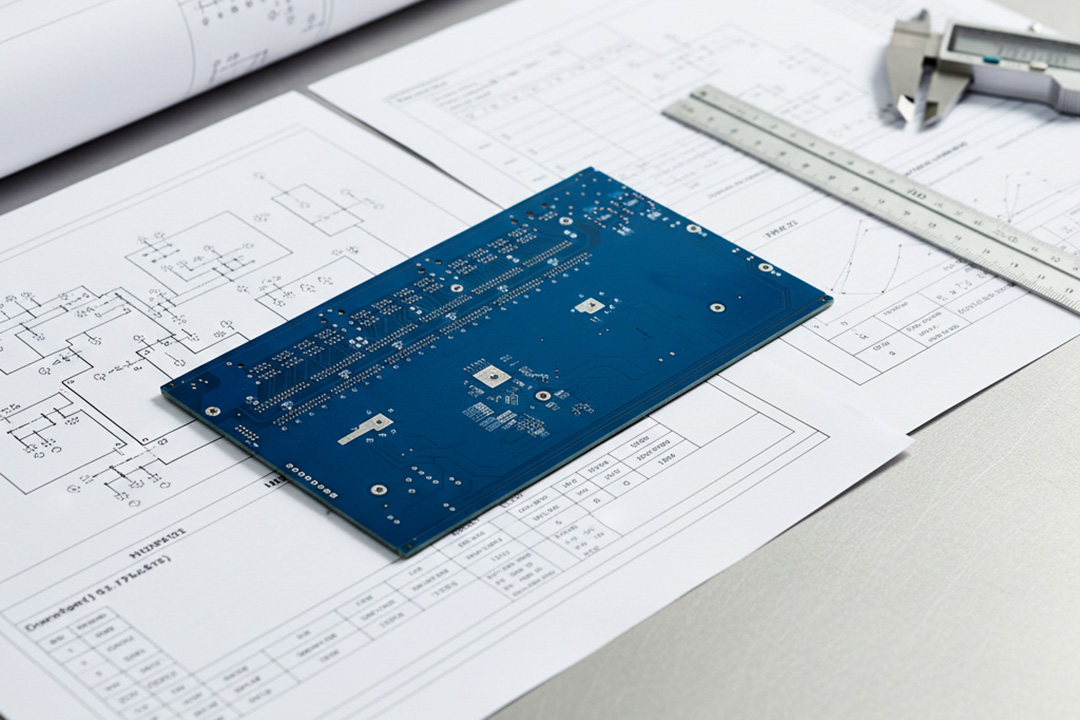
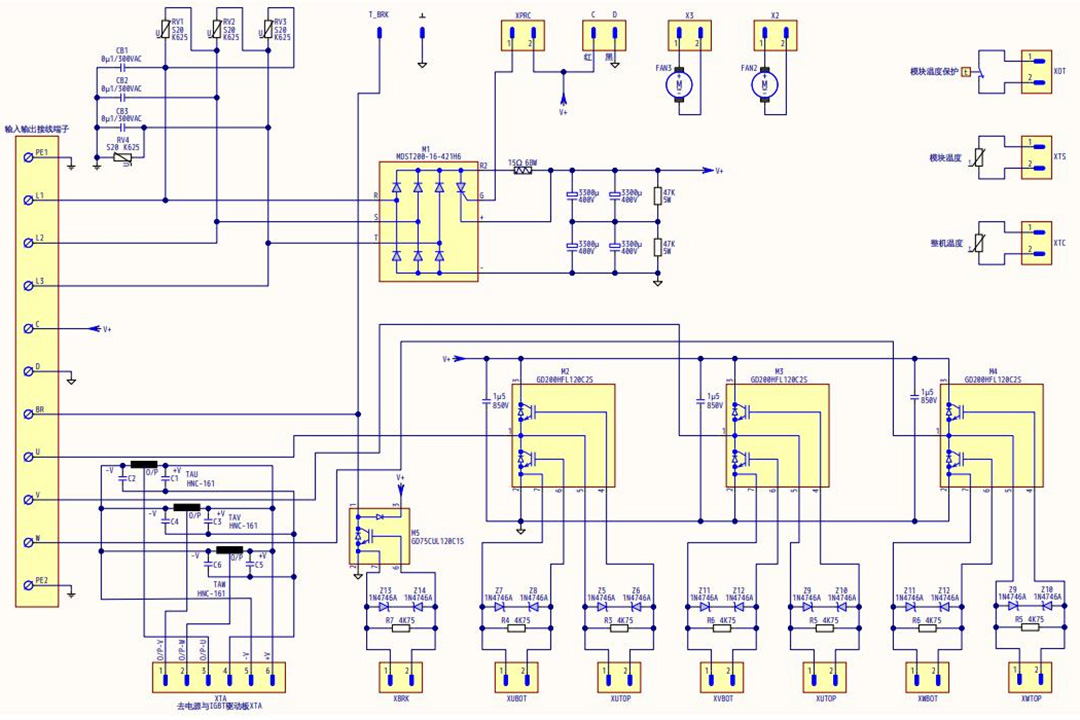
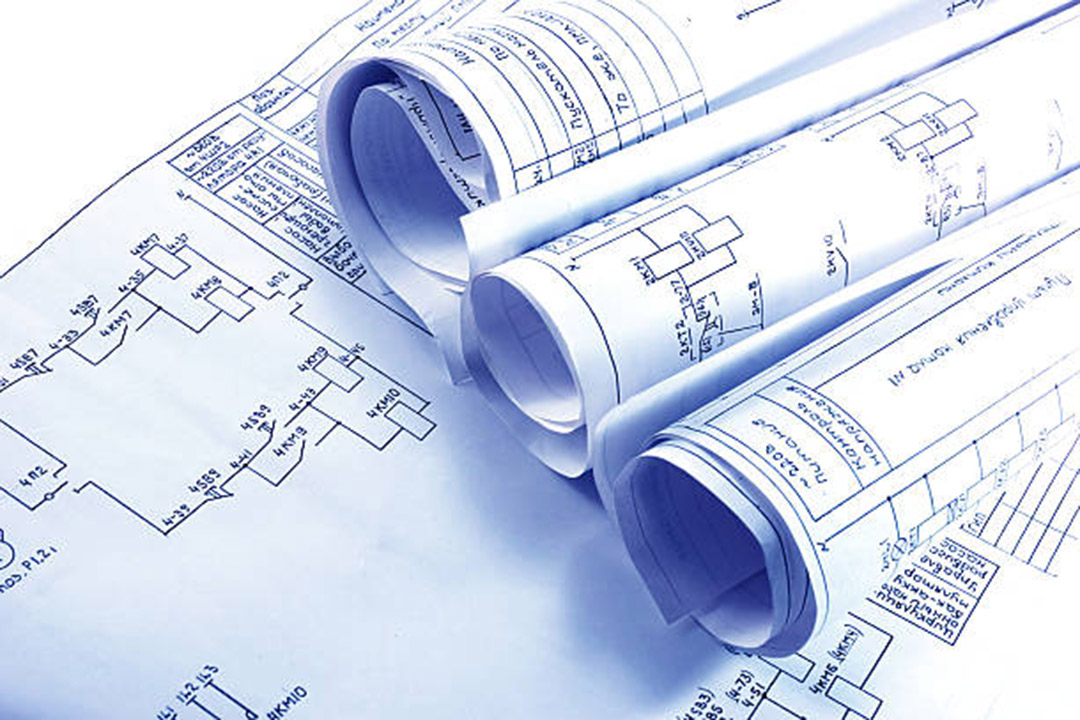
The first step of this process lies entirely in “planning”. Designers will open professional PCB design software (such as Altium, OrCAD or the free KiCAD) to draw pcb schematic files. These are no simple pictures; they are more like intelligent “construction manuals”, containing all the information needed for board making: how the parts are connected, where they should be placed, and how they “communicate” with each other.


For instance, this is like building a house. You surely wouldn’t just swing a hammer and drive nails without looking at the architectural drawings, would you? Now let’s briefly break down the process of drawing this “architectural blueprint” for your circuit board.


Step-by-Step Guide to PCB Design:

  1. Draw the Map (Schematic Capture)

First, you draw the circuit as a simple electrical diagram—a map of all the components and how they logically need to connect. This is the “what connects to what” stage.

  1. Arrange the Furniture (Component Placement)

Next, you take all those components from your diagram and decide where they’ll physically live on the actual board. You’re looking for the best arrangement: keeping sensitive parts away from noisy ones, making room for connectors, and ensuring it can actually be assembled by a machine.

  1. Build the Roads (Routing)

This is where you draw the actual copper “roads” (traces) that will connect everything according to your schematic. You decide how many layers the board needs (single-story, two-story, or a skyscraper) and carefully route the pathways to avoid traffic jams and crosstalk.

  1. Check the Blueprints (Validation)

Before you send the design drawing to the factory, you also need to let the software do a “full physical examination” for you.The design software will automatically check for various potential problems – such as two lines being too close to each other or the drilling size being too small, etc. – to ensure that your design does not have an electrical short circuit or simply cannot be produced.This is like the last crucial quality inspection before leaving the factory, which can help you intercept low-level mistakes in advance.

  1. Send Out the Plans (Output the PCB Schematic Files)

Finally, you package up all the digital instructions. You export the universal manufacturing files (called Gerber files), which are like detailed layer-by-layer images for the factory, and a Bill of Materials (BOM), which is your shopping list of every part needed. The manufacturer will then pre-production review with you before a single piece of material is cut.


Step-by-Step Guide: Stages of the PCB Manufacturing Process

Alright, enough theory. Let’s roll up our sleeves and walk through how a PCB goes from digital files to a physical board you can hold. It’s a precise dance of machinery, chemistry, and expert oversight. Every step has to be just right.


Here’s a step-by-step guide to the core PCB manufacturing process:


1. Pre-Production Review

pcb-board-manufacturer​


  • Before the factory officially starts construction, the process engineers sits down all pcb schematic files and manufacturers, carefully reviewing all the design documents you have sent. This stage is called “Manufacturability Design Check”, which is aimed at identifying in advance those details in the design that are “difficult to produce, costly or simply impossible to manufacture”.
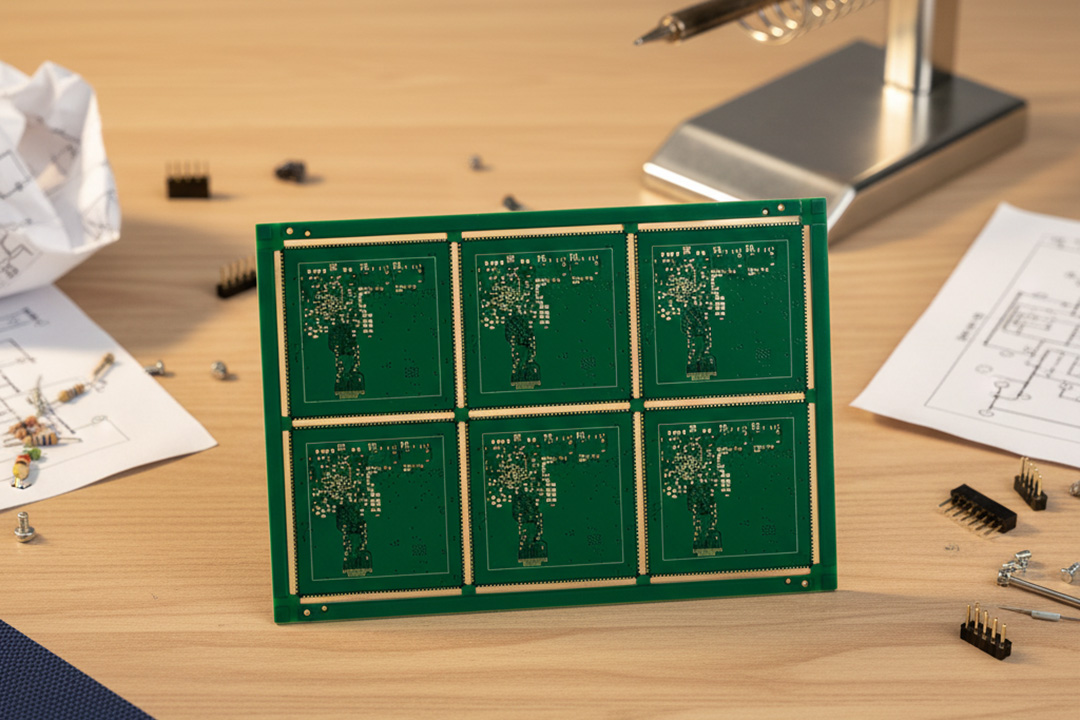
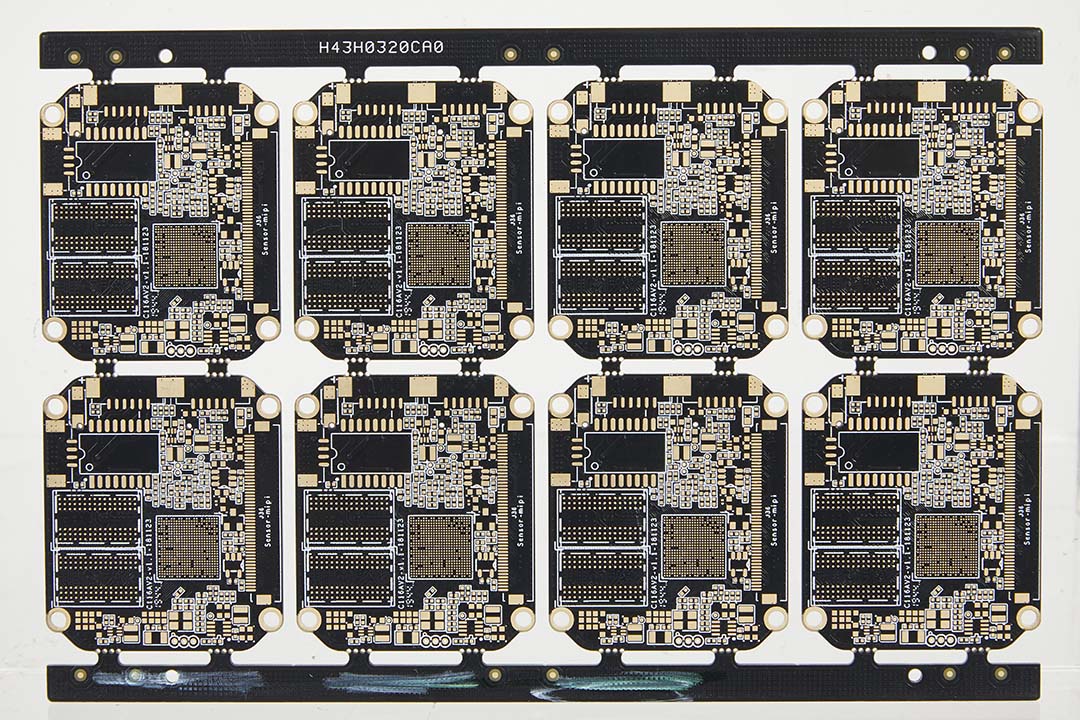
  • At the same time, they will also plan a “material-saving solution” for you: arranging multiple of your circuit boards neatly on a large board like a jigsaw puzzle for production. This ingenious layout step is called “paneling”, which can effectively save materials and reduce costs.

2. Material Preparation and Cutting

pcb-manufacturers​


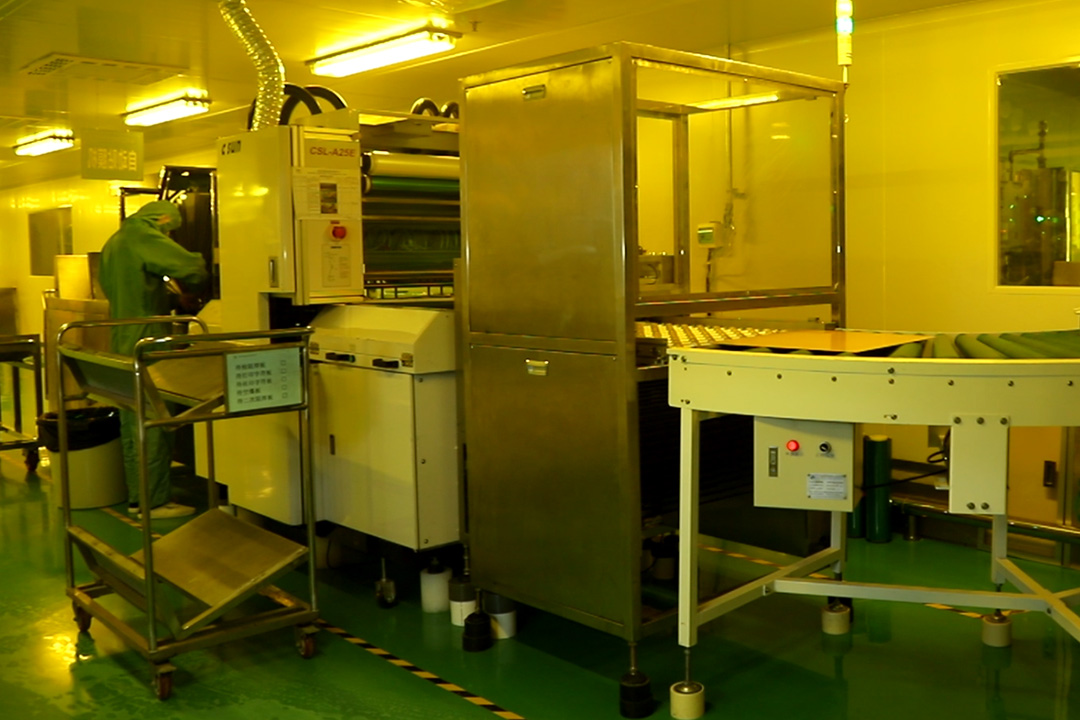
  • The factory will then prepare the most basic raw materials: an insulating board called a “prepreg” (usually made of glass fiber), with a thin layer of copper foil already pasted on both sides. These large-sized raw materials will be cut into standard sizes suitable for production according to the previously planned “panel” dimensions.
  • In simple terms, this is a practical process of “planning first and then preparing materials”, ensuring that subsequent production is both smooth and economical.

Inner Layer Imaging Process

pcb-assembly-manufacturer​


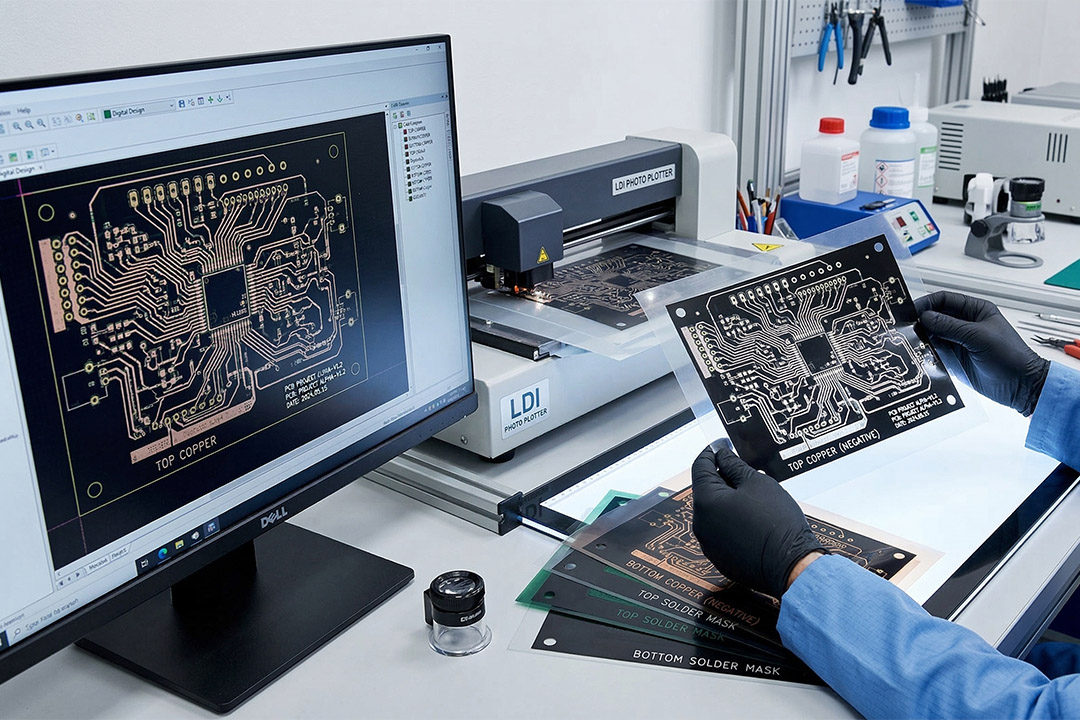
  • For the inner layers of the pcb, they use a imaging process. They print your design as a transparent film (photo negative of the pcb layout) and lay it over the copper. Using UV light (or a laser), they expose and develop a special coating (photoresist) on the copper. This coating hardens in the pattern of your circuit traces, protecting those areas.

4. Etching Process

pcb-manufacturer​


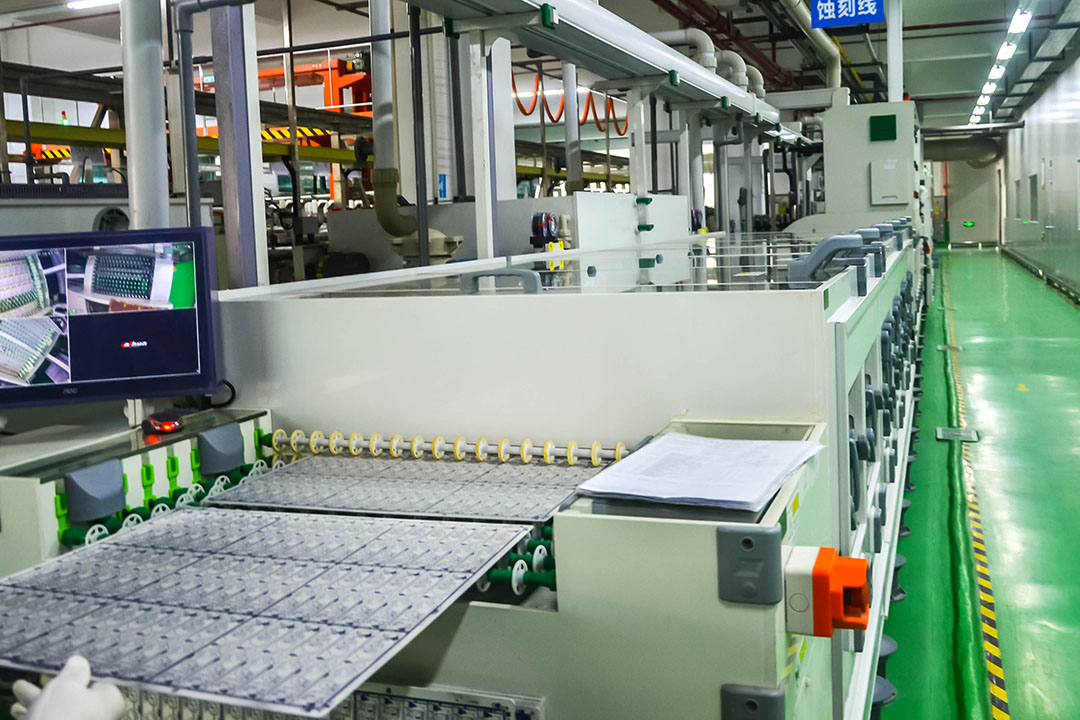
  • Next, the panel takes a etching process. The etchant washes away all the copper that isn’t protected by the hardened photoresist. What’s left behind? The shiny copper traces that critical step in the pcb manufacturing process. This is where the design literally starts to take shape in metal.

5. Photoresist Stripping

pcb-circuit-board-manufacturers​


  • Once the etching is done, that protective photoresist coating has served its purpose. They strip it all away with another chemical process, leaving behind clean, defined copper pathways on the inner layers.

6. Automated Optical Inspection (AOI) and Layer Alignment

pcb-manufacturing-and-assembly​


  • The core of this step is to “nip problems in the bud”.——A machine called Automatic optical Inspection will scan each layer of the circuit with a camera head like a detective and compare it pixel by pixel with the original design file to detect any tiny flaws – such as gaps in the circuit or a speck of dust.Meanwhile, to ensure that all subsequent layers can be perfectly aligned and overlapped, several precise positioning holes will be drilled along the edges of the boards, which is equivalent to installing “alignment clips” on each layer of the board.

7. Lamination Process

pcb-manufacturing-assembly​


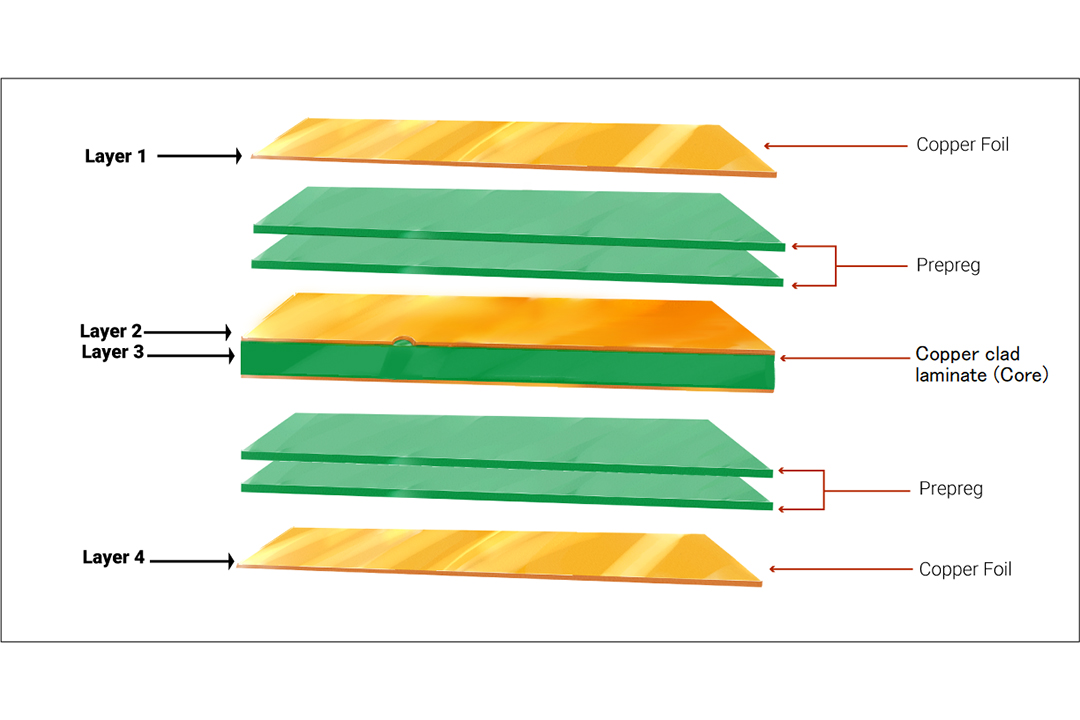
  • This lamination process is vital for multilayer PCBs and the creation of a complete pcb..All the prepared inner layers, along with sheets of prepreg (which acts like a gluey insulator), are carefully stacked in order. The whole stack is then pressed together under intense heat and pressure. The prepreg melts, flows, and cures, bonding everything into a single, solid, multi-layered board.

8. PCB Drilling

manufacturing-pcb​


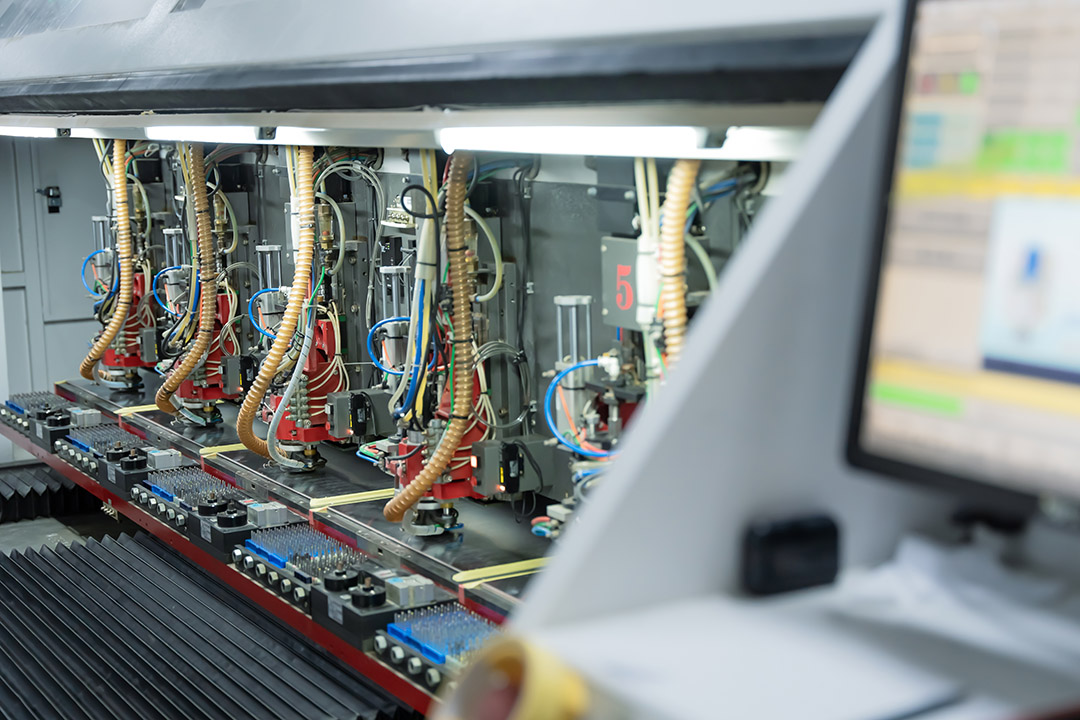
  • Now, we need to connect the layers and make holes for componentsin drilling process. Computer-controlled drill machines (using tiny drill bits or lasers) punch thousands of precise holes called vias (for electrical connections between layers) and through-holes (for mounting components). The precision here is incredible—they have to hit their exact targets through all those layers.
  • Now, we need to “unblock the meridians” of the multi-layer board.Computer-controlled drilling machines (using extremely fine drill bits or lasers) can produce tens of thousands of precise holes:
  1. Via: Like an overpass, it is responsible for conducting electricity between the upper and lower layers.
  2. Through-hole: A “seat” used for inserting electronic components in the future.

The precision requirement for this step is extremely high – the drill bit must pass through all the stacked plates precisely like threading a needle, without the slightest deviation.


9. Plating Process

pcb-manufacturing-process​


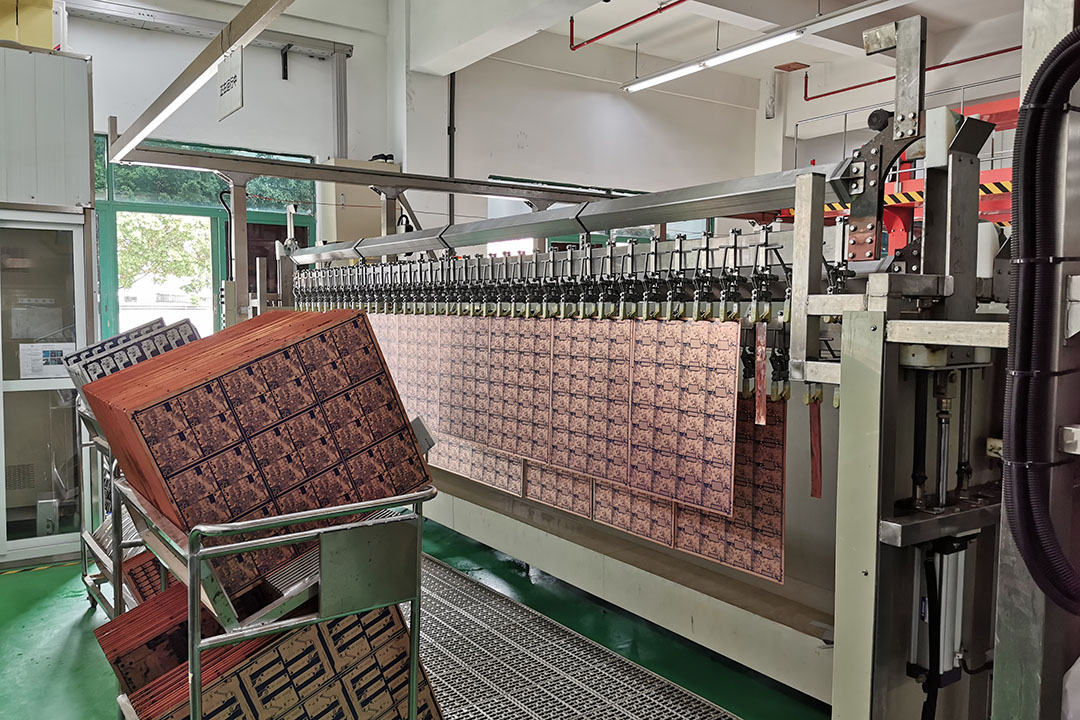
  • Right now, those drilled holes are just empty tunnels through insulating layers. We need to line them with metal to connect the circuits between layers. PCB plating is the process, the entire board gets a thin chemical coating of copper, which sticks to everything—including the walls of the holes. Then, using electricity (electroplating), we build up a thicker, more robust layer of copper inside each hole, creating solid conductive pathways called through-holesplating.

10. Drawing the Outer Layers

pcb-assembly-and-manufacturing​


  • Just like we did for the inner layers, we now use a photographic process to transfer the circuit pattern for the top and bottom layers onto the board. We then electroplate even more copper onto the exposed trace patterns. To protect these new copper traces during the next step in the pcb, we plate a thin layer of tin over them.

11. The Second Etch (Outer Layer Etching)

It’s time for one more chemical bath. Remember, the top and bottom of the board currently have a full sheet of copper on the surface of the pcb, but only the circuit patterns are protected with tin.

We dip the step in the fabrication process into a special etchant solution. It washes away all the unprotected copper—the parts that aren’t your actual circuit. The tin plating acts as a perfect stencil, so when it’s done, only the intended copper traces and pads remain. Voilà! Outer layers of the pcb and look exactly like the designer intended.


12. Stripping & Solder Mask Application

pcb-manufacture​


Step 1: Stripping

Now that the etching is done, we don’t need the tin “stencil” anymore. We remove it with another chemical process, revealing the clean, shiny copper circuits underneath. This step is key—it preps the copper so components can be soldered to it later.


Step 2: Solder Mask Application

Next, it’s time for the board’s protective “paint job”: the solder mask. This is the colored polymer layer (most often green) you see on every finished PCB. It’s applied as a liquid coating and then cured with UV light through another patterned film. This process is very precise—it leaves the metal pads exposed for soldering while covering all the delicate copper traces.


Why Solder Mask Matters:

  • No More Blobs: It prevents solder bridges—those accidental blobs of solder that can short two traces together during assembly.
  • Long-Term Armor: It acts as a shield, protecting the copper from rusting (oxidizing) and getting scratched.
  • Robot Vision: Its high contrast (like green board/white pads) helps guide the vision systems of automated assembly robots, so they know exactly where to place each tiny component.

13. Surface Finish (PCB Plating) & Markings

pcb-printed-circuit-board-manufacturing​


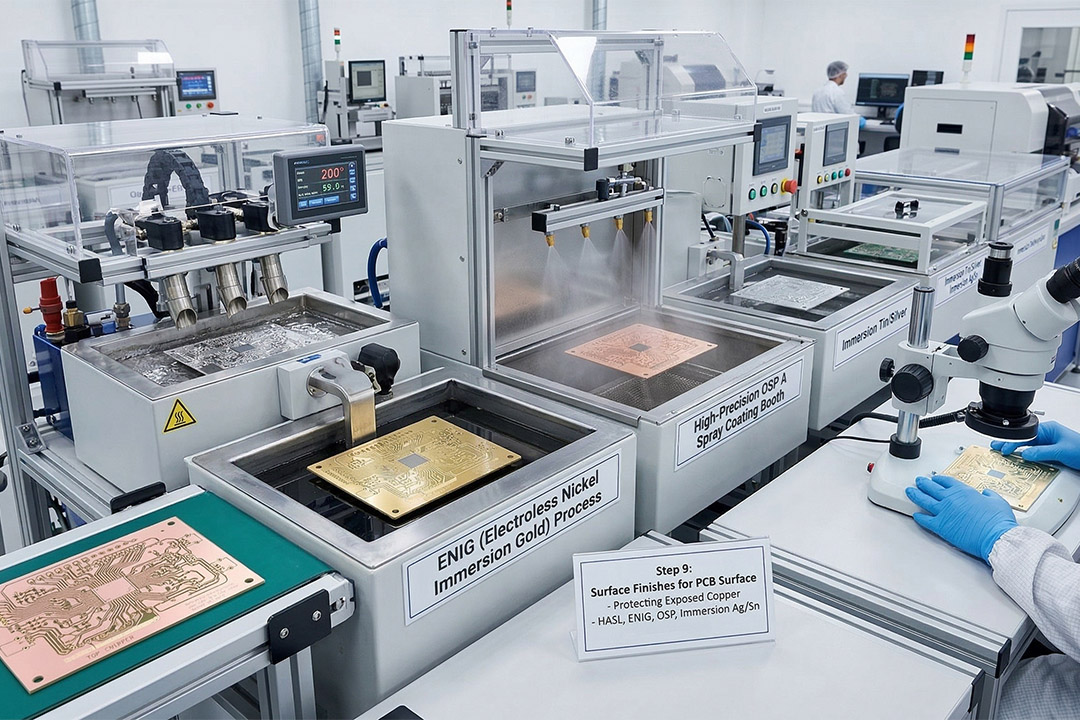
Think of the exposed copper pads as small landing zones for your components. If we left them bare, they’d start to tarnish (like an old penny) almost immediately, making soldering difficult. So we give them a final protective coating called a surface finish. It’s like putting a tiny, perfect layer of solder or gold on each pad.


  • Why it matters: PCB plating is the process that keeps the pads shiny and ready for soldering, and protects them until you’re ready to assemble the board. The type you choose (like HASL, ENIG, or OSP) depends on your budget, how long the board needs to shelf-life, and your assembly method (e.g., hand-soldering vs. machine reflow).

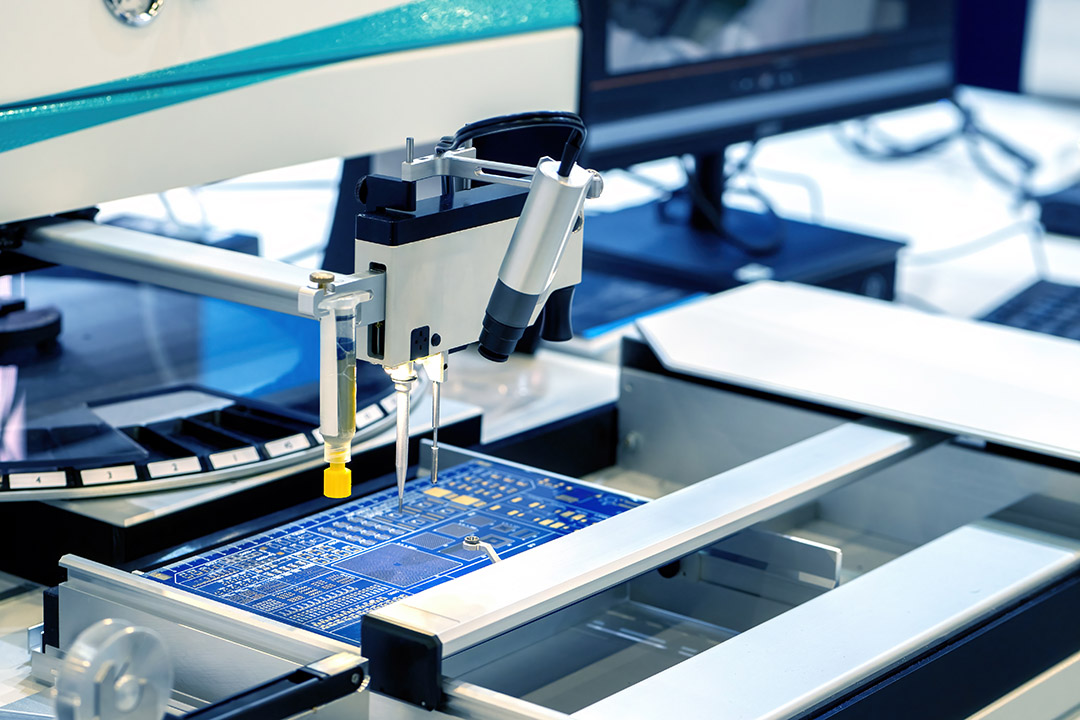
Next up: the labels. Using a special ink, the silkscreen printing onto the board. These are the small white (or other color) letters and symbols—like “R1”, “C5”, or a company logo. This isn’t just for looks; it’s the instruction manual for the person or machine assembling your board, telling them exactly where each part goes.


14. Routing, V-Scoring, and Profiling

pcb-board-manufacturing-process​


Remember, your board has likely been manufactured alongside dozens of copies on one large panel. Now it’s time to set them free.


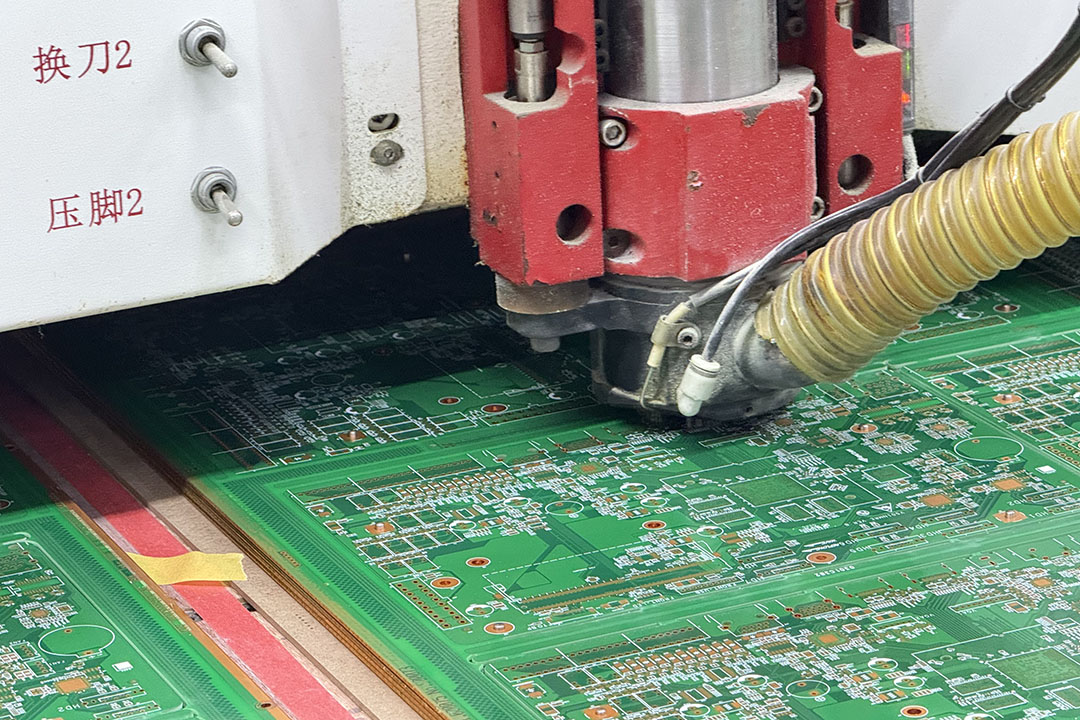
A high-precision machine (a CNC router or laser) carefully cuts along the outline of each individual board, separating them from the pcb panel. If the boards are meant to be snapped apart easily later (like perforated paper), we might use V-scoring, which creates shallow, precise grooves instead of cutting all the way through.


In this step in the pcb manufacturing process finalizes the board’s physical shape, creating the exact size and any special cutouts or slots you designed.


15. Electrical Testing and Visual Inspection

china-pcb-manufacturer​


We don’t just hope your board works—also make electrical tests on the pcb.

  • The Connectivity Test: First, we check every single electrical connection. Using machines with delicate moving probes (called “flying probe” testers) or a custom “bed of nails” fixture, we electronically test the board against your original design files.Confirms the functionality of the pcb there are no shorts (where electricity can jump to the wrong place), no opens (broken connections), and that everything is wired correctly.
  • Extra Credit Tests: For high-performance boards (like for medical or aerospace gear), we might run extra tests to measure signal quality, insulation strength, or other advanced electrical properties.

After it passes the electrical test, it gets a final physical look-over. Automated optical inspection (AOI) cameras or trained technicians check for any visual flaws like scratches, incomplete solder mask, or misaligned holes. For boards with hidden connections (like under a big processor), we might even use an X-ray to peek inside and verify everything is perfect.


16. Final Cleaning, Packaging, and Shipment

manufacturing-pcb-assembly​


Your board is now certified, but it needs to be spotless and protected for its journey.

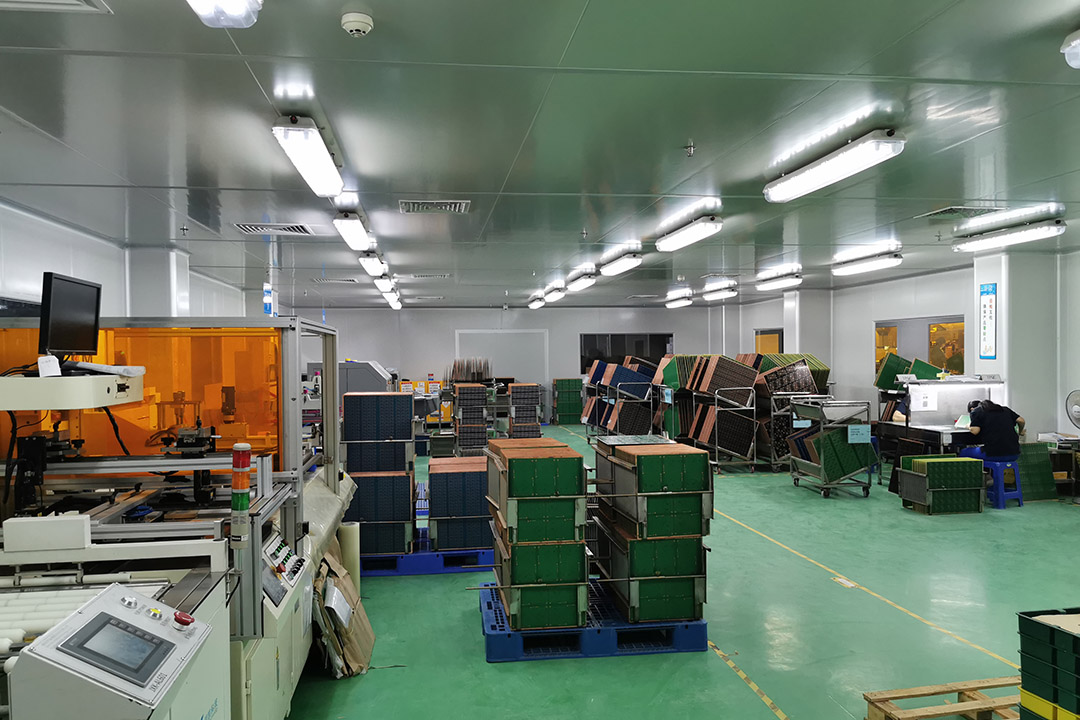
  1. The last step in the pcb(Deep Clean): The board gets a thorough cleaning to remove any leftover dust, fingerprints, or chemical residues from the factory floor. A clean board is a reliable board.
  2. The Bake-Out: To ensure long-term reliability, boards are baked in an oven to drive out any hidden moisture that could cause problems later.
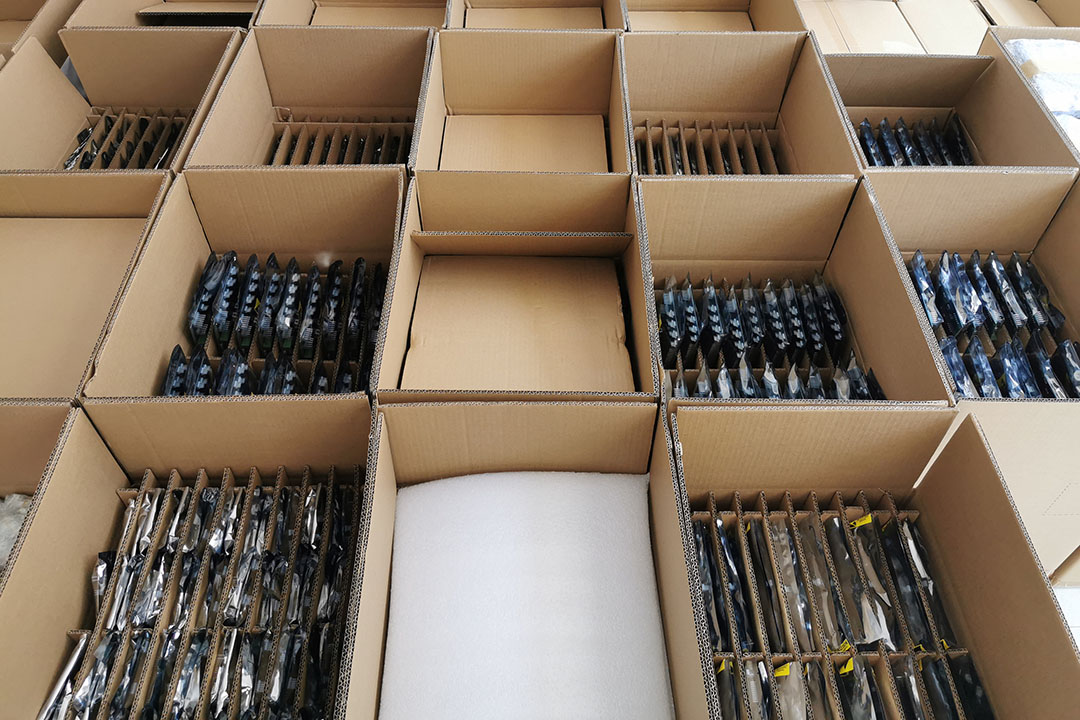
  3. The Secure Package: Finally, the pristine boards are carefully packed. They should anti-static packaging to protect them from electrical damage, are often vacuum-sealed with a moisture-absorbing packet (desiccant) inside, and are boxed up securely. This ensures they arrive at your door in the same perfect condition they left the factory.

A professional manufacturer keeps detailed records of every step, so you have a complete history of how your specific batch of boards was made.


Key Manufacturing Processes & Equipment

Some of the most critical manufacturing steps and the equipment they require include:

Manufacturing StepKey Equipment Used
Panel cutting/cleanroom prepCNC routers, shears, air filtration units
Imaging/photo tool generationLDI (Laser Direct Imaging), photo plotters
Photoresist coatingSpin coaters, curtain coaters
Drilling/via creationCNC drilling machines
Etching/process removes copperConveyorized etchers, acid/alkali baths
Plating (electro/chemical)Plating lines, barrels, rectifiers
Solder mask processScreen printers, UV curing lines
Electrical tests on the pcbFlying probe testers, ICT equipment
Final inspectionAOI, vision systems, X-ray machines

You can think of PCB manufacturing like baking a delicate, multi-layered cake. It’s not a “set it and forget it”Process requires constant attention, especially for complex, high-density boards.Every single step needs to be closely monitored and fine-tuned. A tiny mistake, like an imperfect connection or a hair-thin defect in a trace, can turn a sophisticated board into an expensive paperweight. That’s why you can’t cut corners on quality control.


Testing and Quality Control

pcb-assembly-manufacturers​


PCB testing isn’t just something we do at the end—it’s built into the entire process. Here’s what we’re constantly checking for:

  • “Is Everything Connected?” (Electrical continuity/resistance): We make sure electricity can flow down every intended path correctly, with no broken roads.
  • “Are Things Too Connected?” (Isolation Testing): Just as important, we verify that there are no accidental shortcuts (shorts) where electricity could jump between traces and cause a malfunction.
  • “Can It Survive the Real World?” (Thermal cycling and reliability testing): For boards going into cars, planes, or medical devices, we put them through brutal simulated aging tests. We rapidly heat them up and cool them down for days to mimic years of use, ensuring they won’t fail when it matters most.

In short, great manufacturing is a blend of advanced machinery and relentless human oversight. We test early, test often, and test thoroughly because your product’s success depends on it.


Challenges and Best Practices in PCB Manufacture

Common Manufacturing Challenges

  • The Un-sticky Sandwich (Delamination): When the layers of a board start to separate. This is often caused by contamination (like dust or moisture) getting trapped between layers, or by the board undergoing a severe temperature shock.
  • Broken Roads & Unwanted Bridges (Openor Short Circuits): This is when a copper trace is broken (an open) or two traces accidentally touch (a short). It usually happens from tiny errors during the imaging or plating steps—like a speck of dust blocking the UV light or uneven copper deposition.
  • Signal Traffic Jams (Impedance Mismatches): For high-speed signals (think Wi-Fi or processor clocks), the trace needs to be a precise “highway.” If its width varies or the insulation layer isn’t consistent, the signal gets distorted and the board won’t perform as designed.
  • The Potato Chip Effect (Warped Boards): When a board comes out bent or twisted. This can happen if the raw materials weren’t stored properly (too humid) or if heat and pressure weren’t perfectly even during the lamination press.

Best Practices and Solutions

The good news? Most of these issues are preventable with good habits from the very start.

  1. Talk Early, Talk Often.

The single most important thing you can do is communicate with your manufacturer during the design phase. When they send back Design for Manufacturability (DFM) feedback (like “this hole is too close to the edge”), listen to them! They’re telling you how to make your design bulletproof for their machines.

  1. Spell It Out.

Don’t leave anything to guesswork. Clearly specify your tolerances, material preferences, and any special requirements in your manufacturing files. A detailed “instruction manual” prevents assumptions and mistakes.

  1. Don’t Reinvent the Wheel (Unless You Have To).

Stick with standard, proven materials and layer stack-ups whenever possible. If you’re pushing into new territory—like an unusual material, a very high layer count, or extremely miniaturized designs—ask your manufacturer for guidance before you finalize the design. Their experience can save you time, money, and a lot of frustration.

In short: A perfect board is born from a partnership. A great design meets a capable manufacturer who is brought into the loop early.


PCB Manufacturing for Different Board Types

Think of PCBs like cars. You don’t build a family sedan the same way you build a race car or an off-road truck. The type of board you need completely changes the game plan on the factory floor.

Picking the Right “Chassis”:

  • The Simple Commuter (Two-layer pcb): Straightforward, quick to make, and budget-friendly. Perfect for simpler gadgets.
  • The High-Tech Sports Car (Multilayer PCB): Enables complex wiring in a tight space. The manufacturing gets more involved (all that layer stacking and lamination), but it’s essential for powering your smartphone or router.
  • The Custom Concept Vehicle (Complex pcb Assemblies): This is where things get really specialized. We might need to embed components inside the board, use specialized drilling techniques, or build unique layer structures. It’s a custom job from the ground up.

The manufacturing process is where this customization comes to life, balancing performance, strength, and cost for your specific project.


Cost, Sustainability, and Future Trends

pcb-board-manufacturing​


Cost Factors

A few key things determine your final price tag:

  • Board complexity, layer count, and panel utilization:More layers, tighter spaces, and special materials = more time and precision = higher cost. How many boards we can fit on a standard panel (utilization) also plays a huge role.
  • Choice of stack-up, prepreg thickness, copper weight:That fancy, high-speed laminate or that thick, heavy copper for power handling? Those premium material specs add to the bill.
  • Testing and traceability:Extensive electrical testing and full traceability (knowing the history of your specific batch) cost extra, but they’re non-negotiable for medical, aerospace, or automotive applications where failure isn’t an option.

Looking Forward: Smarter & Greener

The industry is always evolving. The future is about boards that are even smaller, faster, and more integrated. We’re also seeing a strong push towards more sustainable practices—using less water and energy in production, and finding ways to recycle materials. Choosing a manufacturer who invests in these areas means you’re getting a modern, responsible product.


How to Choose a Professional PCB Manufacturer

Choosing who makes your PCB is one of your most important decisions. Here’s your cheat sheet for finding a true professional, not just an order-taker.

The Must-Have Checklist:

  • Experience in the pcb industry:Do they have a track record with your specific type of board? Making a simple rigid board is very different from producing a flexible or high-speed design. Look for a specialist in your niche.
  • Step-by-step guide and feedback:Will they give you proactive feedback? A good manufacturer will review your files and suggest improvements to your stack-up or pad design to boost reliability and yield before production starts. They should guide you, not just take your money.
  • Testing documentation and sample provision:Insist on seeing testing documentation for your boards. Reputable shops provide detailed pass/fail reports and measurement data. Don’t be shy to ask for a pre-production sample to evaluate their work firsthand.
  • Certifications: Look for key certifications like IPC, ISO, and RoHS. These are independent verifications that they follow industry best practices for quality, consistency, and environmental standards relevant to your market.

Conclusion: Getting the Most from the PCB Manufacturing Process

Mastering pcb manufacturing process is key for anyone turning circuit board designs into real products. Whether you’re a startup engineer building your first prototype or a supply chain manager overseeing global production, this comprehensive guide will walk you through the whole journey—from finalizing your pcb schematic files to the last step in the pcb assembly process.


Getting it right isn’t just about ticking boxes in the fabrication process checklist. It’s about making sure step in the fabrication process—from imaging and etching to drilling and plating—works together to build a board that’s not only functionality of the pcb. Top manufacturers combine high-tech equipment, skilled teams, clear processes, and a mindset of always improving—all to make sure you get a reliable pcb that performs exactly how you need it to, or even better.


Frequently Asked Questions: PCB Manufacture

Q1: What is the most critical step in the pcb manufacturing process?

A: Every pcb manufacturing process step is essential for the functionality of the pcb, but the lamination process for multilayer pcb, the etching process for copper patterning, and precision in the pcb drilling and plating process are particularly vital. A minor misalignment during these stages can cause faulty interlayer connections or defective signal paths across the different layers of the pcb.


Q2: Why are Gerber files important?

A: Think of Gerber files as the universal “recipe” for your board. They’re what the manufacturer uses to print the layers, guide the etching, place the silkscreen—pretty much every step of the build. No Gerbers, no PCB.


Q3: How is a two-layer pcb different from a multilayer pcb?

A: A two-layer pcb is like a sandwich: conductive copper on the top and bottom, connected by drilled and plated holes (vias). A multilayer pcb is more like a club sandwich—it stacks several copper layers inside, which lets you pack way more circuitry into a smaller space. Making one takes more steps and is a lot more involved.


Q4: How do manufacturers ensure pcb quality?

A: They run it through a gauntlet of checks. That includes electrical tests (like flying probe), automated optical inspection (AOI), and sometimes even X-rays—especially for hidden connections. They track every step closely, and reliable shops will give you full reports and traceability, which is why industries like aerospace or medical trust them.


Q5: What should I provide to my manufacturer?

A: Send them your complete  pcb schematic files and manufacturers’ notes: Gerbers, Bill of Materials (BOM), netlist, and manufacturing process. This lets them kick things off quickly, often starting with a Design for Manufacturability (DFM) review to catch any issues before production.


Q6: Why is DFM feedback from manufacturers valuable?

A: Because they’ve seen it all! They can spot things in your design—like pads that are too small, vias in tricky spots, or tight copper spacing—that might cause headaches during fabrication. Their tweaks can save you money and prevent manufacturing delays.


Q7: What is the significance of panelization in pcb manufacture?

A: It’s when they arrange multiple copies of your board onto one larger panel—like printing several photos on one sheet of paper. This makes the whole process faster, more efficient, and cheaper. Doing it right also makes assembly and later separating the individual boards much smoother.

Need one-stop Service?
Contact us Now!

We will keep all information confidential.