

Why PCB Design Software Matters

PCB design software occupies a core position in the modern electronics field. Traditional approaches relying on manual drawing and manual component placement layout have been completely phased out. Modern software provides designers with a complete toolchain that covers multiple key stages, including schematic capture, real-time layout planning, interactive simulation, intuitive 3D preview and automated manufacturing file generation. Advanced PCB design software can significantly optimize the design processes of complex printed circuit boards, effectively reduce various errors incurred during the design phase, and fully support all stages of production from single prototype verification to large-scale mass manufacturing.
Some of the key benefits of modern PCB layout design tools include:
- Design Synchronization:Automated syncing between schematic and layout ensures accuracy.
- Time-saving Automation:Auto-routing, DRC checks and built-in templates save time during the design and manufacturing process.
- Simulation and Verification:Integrated simulation and analysis tools help produce reliable PCB layouts—critical for high-speed or mixed-signal boards.
- Collaboration Capabilities:The ability for teams to work on the same design in real time, even from different locations.
- Integration with Mechanical Design Tools:Seamless transfers to and from MCAD software prevent enclosure fit issues.
- Open-Source & Free Tools:User-friendly PCB software that gives educators, makers and startups access to quality PCB design without licensing fees.
What Makes Up PCB Layout Design?

A modern PCB layout design is far more than plopping parts on a digital canvas. It’s a physical and electrical engineering discipline that merges:
- Schematic Capture:Clearly define the logical connections of your project using tools for schematic capture.
- Layout and Design:Transition schematics into circuit board design, setting board outlines, spacing, copper layers and more.
- Component Placement:Smartly arrange ICs, connectors, passives for signal, EMI and manufacturability goals. The modular design approach is often used.
- Routing:Route traces with the advanced features of the best PCB designer Auto-router, differential pair, impedance control and length matching tools are essential for complex PCB and high-speed design.
- Design Constraints & DFM:Apply design rules for spacing, trace width and manufacturability.
- 3D Visualization:Inspect your board in 3D; prevents mechanical conflicts and assembly headaches.
- Simulation:Use integrated simulation software for signal integrity, power analysis and EMC.
- Manufacturing File Output:Export production files (Gerbers, BOM, Pick-and-Place) for assembly.
Modern advanced PCB design software provides designers with essential tools. Utilizing such software, designers can efficiently manage the entire workflow from initial design to final delivery. Software functionalities ensure the reliability of design outcomes. Simultaneously, these tools optimize the manufacturability of solutions. This workflow model also supports the flexible scalability of solutions.
Key Criteria for Selecting the Best PCB Design Software
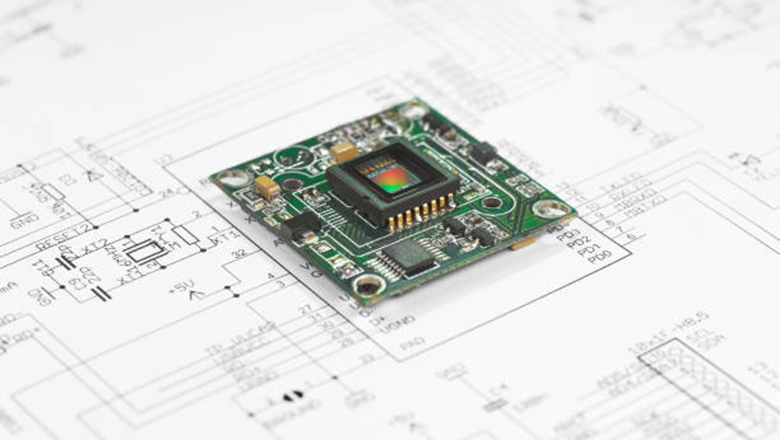
Nowadays, there is a vast array of PCB design software available, and how to select the right tools has become a key step in the design process. The core factors outlined below provide designers with a systematic evaluation framework.
1. Design Environment & Usability
- Is the interface intuitive?
- Does the software offer workflow templates for both simple and complex PCB?
- Is it user-friendly, both for beginners and professionals?
2. Design Features & Capabilities
Look for features like:
- Hierarchical schematic capture
- Advanced rule checks
- Automated and manual routing
- Differential pair and impedance control
- Seamless 3D visualization and mechanical integration
3. Simulation & Analysis Tools
- Does the tool offer integrated or add-on simulation software?
- Is there support for SPICE, SI/PI or thermal analysis for advanced PCB design?
4. Library Management
- Are component libraries up to date with real component pricing and availability for BOM?
- Does the software provide IPC-standard footprints, vendor integration and easy import/export?
5. Collaboration & Cloud Access
For teams or educational settings, work on the same design via the cloud streamlines teamwork and improves version control.
6. Cost & Licensing
- Are free PCB design software options available?
- How do features differ in premium software vs. open-source PCB or free tools?
- Best PCB design software depends on features, but value for cost is key.Particularly for startups and students.
13 Most Used PCB Layout Design Tools—A Deep Dive
Let’s explore the top 13 most used PCB layout design tools. Some are staples in industry, others are leading choices for students, startups and open-source communities. Combined these represent the top PCB design software used worldwide.
1. Altium Designer
Altium Designer is widely adopted by professional designers as one of the preferred PCB design software tools. The software provides a comprehensive suite of tools that covers the entire workflow. This toolset fully supports every stage of printed circuit board design. Specific functionalities include all aspects from schematic design, layout planning, routing implementation to production file generation.
- Why it stands out:Enterprise-grade reliability, advanced auto-routing and 3D MCAD integration.
- Ideal for:High-speed, complex PCB, professional engineers and product development teams.
- Cons:Not free. Premium software price.
2. Allegro PCB Designer (Cadence)
Allegro PCB Designer is a powerful tool for designing enterprise and telecom hardware, offering advanced simulation, massive libraries and excellent support for complex PCB.
- Why it stands out:Industry leader for high-speed, reliability and design constraints.
- Ideal for:High-frequency, data center and mission-critical designs.
- Cons:Steep learning curve; higher cost.
3. Mentor Graphics Xpedition (Siemens EDA)
Mentor Graphics Xpedition is widely recognized as a first-class PCB design software suite in the industry. It is renowned for its robust team collaborative design capabilities, offers advanced board-level optimization tools and also integrates comprehensive Design for Manufacturability (DFM) analysis functions.
- Why it stands out:Multi-team, multi-board, multi-domain and simulation-rich.
- Ideal for:Automotive, aerospace and multi-disciplinary teams.
4. OrCAD PCB Designer (Cadence)
A leading design tool for circuit designs, OrCAD PCB Designer offers integrated simulation, robust rule checks and seamless upgrade paths to Allegro.
- Why it stands out:Intuitive for both simple and advanced designs, extensive simulation software.
- Ideal for:Mixed-signal, analog and educational PCB projects.
5. Zuken CR-8000
Zuken CR-8000 is an advanced software suite targeted at system-level design. This suite primarily serves design scenarios that require handling complex system architectures. It demonstrates exceptional adaptability in highly integrated projects. The software excels in addressing high-density layout challenges in circuit board design. It effectively manages signal integrity and power integrity in complex projects.
- Why it stands out:Concurrent multi-board design, advanced 3D visualization and mechanical co-design.
- Ideal for:Large engineering organizations, modular or high-speed designs.
6. Pulsonix PCB Design
Pulsonix offers a user-friendly PCB experience with quality PCB design features for teams and growing businesses.
- Why it stands out:Easy onboarding, powerful routing and DFM.
- Ideal for:Consultants, mid-size companies and transitioning professionals.
7. Autodesk EAGLE (Fusion 360 Electronics)
Autodesk EAGLE is now integrated into the Fusion 360 electronic design platform. This software holds a prominent position in the maker community, among startups and in the field of education. The design tool enables users to seamlessly transition from initial concepts to completed PCB design. It is particularly suited for application scenarios that require the integration of electronic design with mechanical structures.
- Why it stands out:Accessible for beginners yet powerful enough for advanced engineers. Cloud support via Fusion 360 lets you create PCB projects with real-time MCAD visualization.
- Ideal for:IoT projects, students, rapid prototyping and teams using both MCAD and ECAD design environment.
- Cons:Free version includes layer and board size limits; advanced features require a Fusion 360 subscription.
8. DipTrace PCB
DipTrace PCB offers a modular design approach with intuitive hierarchical schematics, fast learning for new users and solid support for professional designers.
- Why it stands out:Easy drag-and-drop schematic layout, component library management and true 3D PCB visualization.
- Ideal for:Small business, consulting and educational institutions looking for a middle ground between basic PCB and advanced PCB design software.
- Cons:Lacks advanced tools for massive multi-layer or high-speed PCB industry requirements.
9. DesignSpark PCB
DesignSpark PCB is a free PCB design software offering professional-grade features to hobbyists, entrepreneurs and engineers on a tight budget.
- Why it stands out:No license fees, unlimited schematic size and layers and access to a wide range of PCB component libraries. One of the most popular free tools available today.
- Ideal for:Beginners, startups and anyone needing a reliable PCB tool without financial commitment.
- Cons:Lacks advanced simulation and manufacturing integration of premium software.
10. SolidWorks PCB
SolidWorks PCB is built for seamless integration with 3D mechanical design tools and is the tool of choice for cross-disciplinary product development.
- Why it stands out:Bidirectional design synchronization with SolidWorks MCAD, making it perfect for tightly coupled electrical and mechanical projects.
- Ideal for:Product design teams working on embedded devices and enclosures.
- Cons:Requires a SolidWorks ecosystem; higher cost compared to more open solutions.
11. KiCad
KiCad consistently ranks in the top 15 PCB design software lists as a leading open-source PCB layout design tool. It has a passionate global community and continuous improvements.
- Why it stands out:100% free, offers schematic capture, PCB layout, 3D viewer and library management rivaling many commercial solutions. Massive community creates and shares libraries and projects, making it easy to find examples and resources.
- Ideal for:Open-source hardware projects, educators and startups. Best PCB design software for those who value flexibility and transparency.
- Cons:Lacks some advanced simulation and enterprise-level data management found in premium tools, though its features continue to close this gap.
12. EasyEDA
EasyEDA is a browser-based platform, making it arguably the most user-friendly PCB software for beginners.No installation required.
- Why it stands out:Design tool allows you to design, simulate and order PCBs through its direct integration with JLCPCB. Real-time collaboration features let you and your team work on the same design at the same time.
- Ideal for:Quick-turn prototyping, students, workshops and those who value easy web access and streamlined design to production workflow.
- Cons:Less flexibility for complex PCB board stackups or when compared to other PCB design suites with deep simulation and manufacturing integrations.
13. Fritzing
Fritzing brings electronics to life for educators and absolute beginners by offering a uniquely visual “breadboard view” that translates directly to PCB layout design.
- Why it stands out:Friendly graphical interface, strong support for Arduino and Raspberry Pi platforms, perfect for visual learners.
- Ideal for:Education, workshops, rapid breadboard-to-board conversion, basic PCB and simple circuit board designs.
- Cons:Not intended for complex circuits or high-volume manufacturing.
LHD TECH’S Tips for Creating Professional PCB Designs
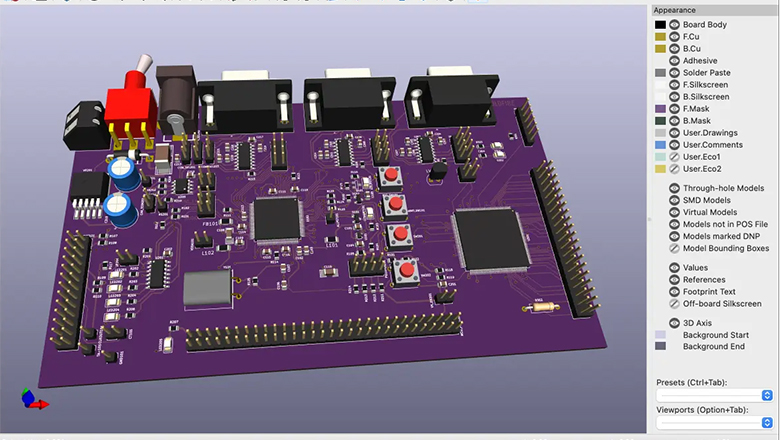
Selecting the best PCB design software depends on more than bells and whistles. Here are actionable tips for reliable PCB design:
- Embrace Design Constraints:Apply proper rule checks—trace width, spacing and component clearance—using tools available in premium and free PCB design software.
- Use Additional Tools:Signal integrity and thermal simulations are vital for high-speed and complex boards; don’t neglect them if your project grows.
- Leverage Modular Design:For repeated circuit blocks, use hierarchical design features to manage complexity and speed up the schematic-to-layout process.
- Documentation Saves Time During the Design:Label test points, reference designators and critical nets; it’ll save hours debugging and during handoff to manufacturing.
- Streamline the Design Process:Take advantage of user-friendly PCB platforms that provide design synchronization, error checking and cloud-based backups.
- Open-Source PCB Design Tools:Easily share your project, collaborate globally and contribute to open hardware initiatives using free tools like KiCad and CircuitMaker.
How to Get Started with PCB Design Software
- Select the Right PCB Design SoftwareTry free versions of DesignSpark PCB, EasyEDA or KiCad before investing in premium design software like Altium or Allegro.
- Study Example ProjectsFind basic and complex sample designs to learn typical design features and workflow.
- Set Up Your Design EnvironmentDownload updated libraries, set grid and units, load design templates and enable error checking.
- Use Tutorials and Community SupportTake advantage of videos, forums and documentation associated with your chosen PCB layout design tools.
- Order a Simple Prototype Start with a basic PCB—like an LED blinker, voltage regulator or sensor breakout—and use your chosen tool for schematic capture, PCB layout design, and generating Gerber files. Most used PCB layout design tools such as EasyEDA, KiCad or DesignSpark PCB even offer built-in services or plugin links for fast-turn prototype fabrication and assembly.
- Iterate and Improve Carefully inspect your prototype for assembly errors, fit and function. Take advantage of simulation software and design features for identifying weak points in power or signal paths. For more complex PCB, step up to premium PCB design software that provides power integrity analysis, advanced routing and mechanical design tools integration.
- Network and Share Join user communities or open-source hardware groups. Sharing your designs (even basic PCB designs) on forums or project repositories lets you gain feedback and see how others use the same tool for PCB design.
FAQs: Choosing the Right PCB Design Tool
Q: How do I know which PCB design software options are best for my project?
A: The best PCB design software depends on your goals: For breadboards or education, free tools like Fritzing or DesignSpark PCB are great; for scalable professional work, Altium Designer or Allegro PCB Designer offer a more comprehensive suite of tools. If a project is highly collaborative, choose a design tool that allows you to work on the same design in the cloud.
Q: Are open-source PCB platforms reliable for complex PCB?
A: Yes, open-source PCB tools like KiCad are used in serious research and even enterprises. While they may lack some premium software automation or deep MCAD integration, they’re highly customizable and continually evolving.
Q: Can I transition between different PCB design software easily?
A: Many of the top PCB design tools available today support importing/exporting industry-standard Gerbers, netlists and even native library formats. Some, like DipTrace PCB and Altium Designer, offer migration wizards—however, it’s wise to double-check design synchronization and library component footprints.
Q: What features are critical in a user-friendly PCB platform?
A: Look for intuitive drawing, drag-and-drop schematic capture, error highlighting, embedded DRC/DFM tools, and solid library management. Simulation software, 3D PCB views and modular design capabilities are also invaluable as your designs grow.
Q: Why do different projects require different PCB design software tools?
A: A simple sensor project or LED controller doesn’t need power-user features. For signal integrity, high-frequency or modular/mechanical integration, using premium design software like Allegro PCB Designer or a tool for PCB design that combines simulation, MCAD and supply chain integration pays off in long-term reliability and time saved during the design process.
Conclusion: Selecting the Best PCB Design Software Depends on Your Needs
The world of PCB design software is rich with options for every scenario. Whether you’re searching for a reliable PCB platform for high-volume manufacturing, a user-friendly PCB tool for education or a powerful design environment that provides a comprehensive suite of tools for schematic capture, 3D visualization and simulation, there’s a solution for you.
- For Makers and Beginners:DesignSpark PCB, EasyEDA and Fritzing offer easy learning and fast project turnarounds.
- For Open-Source and Cost-Conscious Users:KiCad is an industry favorite—robust, free and always growing. It’s one of the top PCB design and layout tools available for those wanting transparency and flexibility.
- For Startups and Small Teams:Fusion 360 Electronics (EAGLE), Pulsonix PCB Design and DipTrace PCB offer a great balance of professional features and manageable pricing.
- For Professional Engineers and Enterprises:Altium Designer, Allegro PCB Designer and Mentor Graphics Xpedition are the best PCB design software for large-scale, high-performance and advanced manufacturing needs, offering everything from simulation software to mechanical design tools.
Selecting the right PCB design software doesn’t just streamline your design process—it empowers your creativity, speeds up your design to production pipeline and assures a more reliable PCB at every stage.
Ready to choose the right tool? Explore the top options in this guide, download free tools to start learning, and upgrade as your projects demand more advanced PCB design software capabilities. Remember: the right PCB design tool helps you achieve quality PCB layouts, reduce project risk and deliver innovation—whether you’re prototyping in a garage or leading a global engineering team.